반응형
기본 베이스 코드는
Kotlin_Basic_Chat을 사용했다.
[ 소스 코드 ]
https://github.com/KwonGeneral/Kotlin_Basic_Chat.git
GitHub - KwonGeneral/Kotlin_Basic_Chat: 코틀린 MVVM 연습용 앱
코틀린 MVVM 연습용 앱. Contribute to KwonGeneral/Kotlin_Basic_Chat development by creating an account on GitHub.
github.com
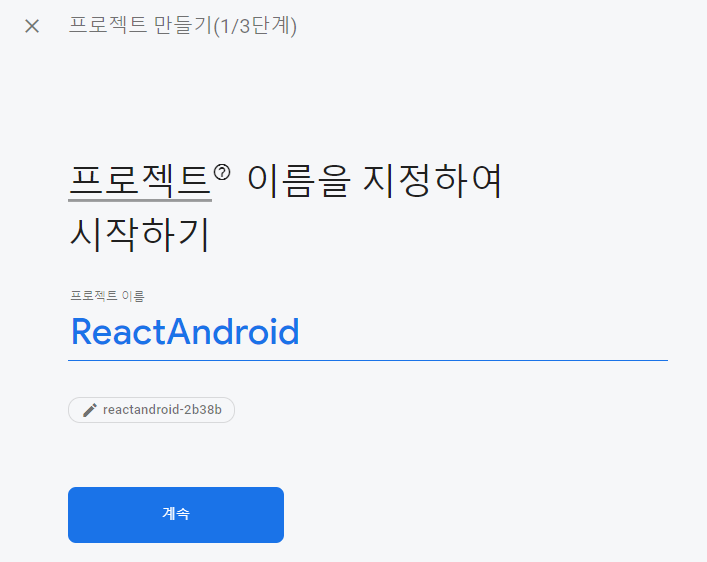
1. Firebase 프로젝트 생성
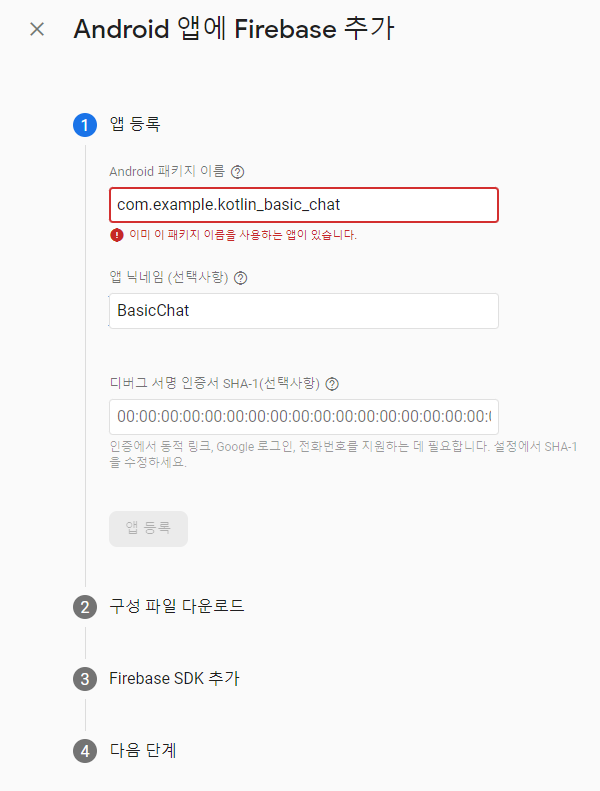
2. Firebase 앱 생성
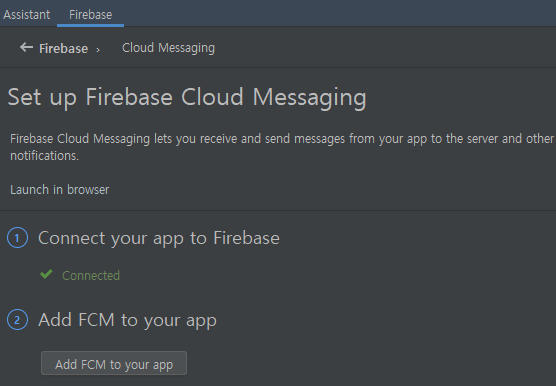
3. Firebase Dependencies 설치

4. FcmService.kt
class FcmService: FirebaseMessagingService() {
    override fun onMessageReceived(remoteMessage: RemoteMessage)
    {
        super.onMessageReceived(remoteMessage)
        if (remoteMessage.notification != null)
        {
            sendNotification(remoteMessage.notification?.title, remoteMessage.notification!!.body!!)
        }
    }

    override fun onNewToken(token: String)
    {
        super.onNewToken(token)
    }

    @SuppressLint("ObsoleteSdkInt", "UnspecifiedImmutableFlag")
    private fun sendNotification(title: String?, body: String)
    {
        val notificationManager = getSystemService(Context.NOTIFICATION_SERVICE) as NotificationManager

        val pendingIntent = PendingIntent.getActivity(this, 0,
            Intent(this, MainActivity::class.java)?.apply {
                addFlags(Intent.FLAG_ACTIVITY_CLEAR_TOP)
            }, PendingIntent.FLAG_ONE_SHOT)


        if (Build.VERSION.SDK_INT >= Build.VERSION_CODES.O) {
            val channel = NotificationChannel(CHANNEL,
                OCHANNEL,
                NotificationManager.IMPORTANCE_DEFAULT)
            notificationManager.createNotificationChannel(channel)
        }

        notificationManager.notify(0, NotificationCompat.Builder(this, CHANNEL).apply {
            setSmallIcon(R.mipmap.ic_launcher_round)
            setContentTitle(title)
            setContentText(body)
            setAutoCancel(true)
            setSound(RingtoneManager.getDefaultUri(RingtoneManager.TYPE_NOTIFICATION))
            setContentIntent(pendingIntent)
        }.build())
    }
}
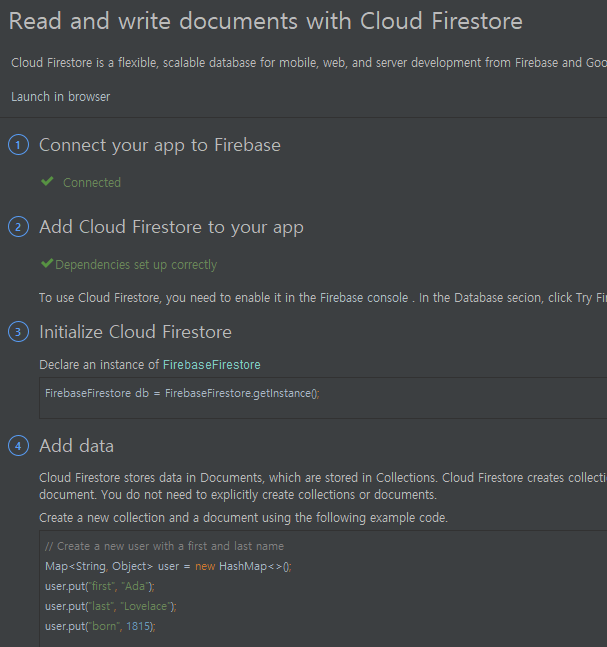
5. Cloud Firestore Dependencies 설치
6. Cloud Firestore DB 읽기 및 쓰기
// Fcm 토큰 생성 및 Firebase DB 저장
        FirebaseMessaging.getInstance().token.addOnCompleteListener(OnCompleteListener { task ->
            if (!task.isSuccessful) {
                return@OnCompleteListener
            }
            var fcm_list = mutableListOf<String>()
            firebaseDB.collection("User")?.let { db ->
                db.get().addOnCompleteListener { read ->
                    if (read.isSuccessful) {
                        for (document in read.result!!) {
                            fcm_list.add(document.data["fcmToken"].toString())
                        }

                        task.result.toString()?.let { fcm ->
                            if(fcm in fcm_list) {
                                return@addOnCompleteListener
                            }
                            LocalDateTime.now().format(DateTimeFormatter.ofPattern("yyyy-MM-dd HH:mm:ss"))?.let { time ->
                                Build.MODEL?.let { model ->
                                    val user: MutableMap<String, Any> = HashMap()
                                    user["fcmToken"] = fcm
                                    user["phoneModel"] = model
                                    user["createdAt"] = time

                                    db.add(user)?.apply {
                                        addOnSuccessListener {
                                            Toast.makeText(baseContext, "FCM 토큰을 Firebase DB에 저장했습니다", Toast.LENGTH_SHORT).show()
                                        }
                                        addOnFailureListener {
                                            Toast.makeText(baseContext, "FCM 토큰을 Firebase DB 저장에 실패했습니다", Toast.LENGTH_SHORT).show()
                                        }
                                    }
                                }
                            }
                        }
                    }
                }
            }
        })
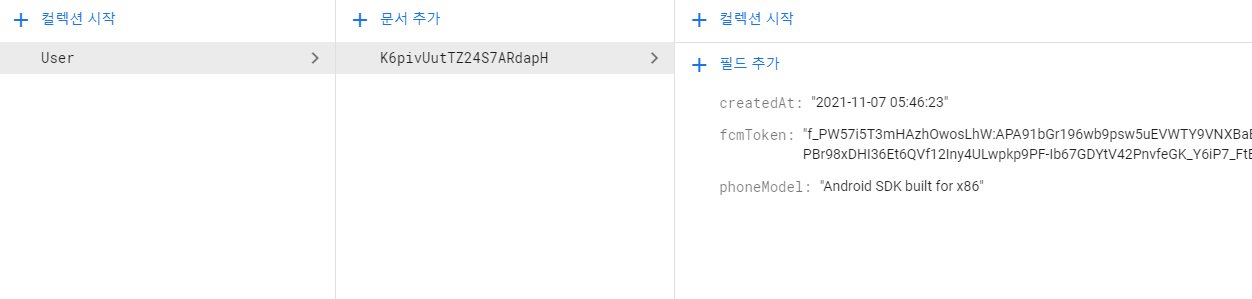
< 결과 >
내일은 React와 Cloud Firestore를
연동해 볼 예정이다.
반응형
'아카이브 > 일기' 카테고리의 다른 글
| 315일차 - Firebase 호스팅 & 음성 인식 (TTS, STT) (0) | 2021.11.09 |
|---|---|
| 314일차 - React & Fcm Push 웹페이지 완성 (0) | 2021.11.08 |
| Kotlin - Room을 활용한 채팅 디자인해보기 (0) | 2021.11.07 |
| 313일차 - React & Android Push (0) | 2021.11.07 |
| 311일차 - 현재 상황 및 React, Firebase 연동 계획 (0) | 2021.11.05 |
| 310일차 - 볼만한 유튜브 강의 영상 (0) | 2021.11.04 |
| 309일차 - 완전성 & 목적성 & 독립성, Fragment New Instance, MVVM, LiveData, 옵저버, 스코프 함수, 싱글톤, XML 호환성 등 (0) | 2021.11.03 |
| 308일차 - 현재 상황 및 공부 예정 목록 (0) | 2021.11.02 |